SSSTik is a free TikTok downloader that lets you save available TikTok videos without watermark through your browser. Copy a video link, paste it into the tool, and choose a download option. For Indonesian users searching for “download video TikTok tanpa watermark”, it offers a straightforward way to keep tutorials, personal videos, and other content for offline viewing without installing extra software.
How to use the SSSTik TikTok downloader
Start with a public video that is still available on TikTok. Play it first to check that you have the correct clip, especially when a creator has posted several similar videos.
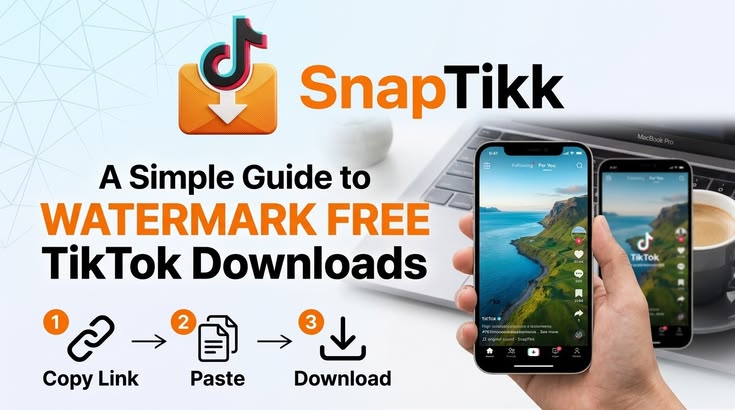
- Copy the video link. Open the video in TikTok, tap the Share button, and select Copy link. On a computer, you can copy the video URL from your browser’s address bar.
- Paste the link. Open the SSSTik tiktok downloader and paste the copied URL into the input field. Use the link to the individual video rather than a profile page for this download process.
- Download the file. Press the download button, wait for the available results, and select the video option you want to save. Choose HD when that option is available.
After downloading, open the saved file to check the picture and sound. If you are collecting several tutorials, rename each file with its topic so you can find the right lesson later.
What you can save with SSSTik
Videos in MP4 format
MP4 is the main option for keeping both the moving image and sound. SSSTik provides access to an available watermark-free video file from TikTok; it does not erase a logo from a file you upload. Text, captions, or graphics added by the creator may still appear in the video.
HD quality depends on the source and the download options returned. A low-resolution original will not gain extra detail simply because you download it. When several resolutions are available, consider whether you need a clearer picture or a smaller file that takes less storage.
Audio and photo content
SSSTik also offers MP3 audio downloads and support for photo or slideshow content. Check the results for the particular post before choosing a format. MP3 is useful when you only need the sound, while MP4 keeps the video and audio together. Available options can differ between posts.
Stories and anonymous viewing
The Stories downloader gives you a separate way to save supported TikTok Stories while they remain accessible. Use the Story download section and follow its input instructions rather than assuming every Story works like a regular video post.
SSSTik also includes a TikTok Viewer for watching public videos, Stories, and profiles without signing into TikTok. Its anonymous viewing feature lets you browse without using your TikTok account. Private or deleted content remains unavailable.
Tik Tok download on mobile and desktop
The browser workflow suits Android phones, iPhones, tablets, and computers without requiring a separate downloader installation or registration. On mobile, switch from TikTok to your browser after copying the link. On desktop, keep the video and downloader open in separate tabs.
Check your browser’s download list or your device’s Downloads folder after saving. On an iPhone or iPad, a downloaded file may appear in Files before you save it to Photos. If a link opens the video for playback, look for the browser’s download or save option.
Saving a tutorial before travelling can make it easier to follow without repeatedly streaming it. Download over Wi-Fi beforehand if you want to reduce mobile data use during the journey.
What to check when a download fails
- Open the original post to confirm that it is still public and available.
- Copy the link again through TikTok’s Share menu and paste the complete address.
- Check your internet connection and available device storage.
- Refresh the downloader or try another current browser if the page stops responding.
SSSTik offers free downloads without a daily download limit, but processing time and availability can vary. A saved link cannot recover a video that has been deleted. Keep copies of your own important uploads, and ask the creator before republishing someone else’s work.
For similar tools serving other platforms, fGet supports Facebook downloads, while SSSTwitter helps save videos from public posts on X, formerly Twitter.